Power Innovating Smart Solution Dali Dimming
For Your Home


Smart Home Automation Solutions
Make Your Home Smarter, Safer & More Comfortable
Sarlux Electronics provides complete home automation solutions for modern living. Control your lights, curtains, AC, security and other devices through smart controls, mobile apps and customized scenes.
One Home. One Smart Experience.
From Design to Installation & Programming — We Make Your Home Smart.
We design automation solutions according to your home, lifestyle and budget, giving you the right balance of comfort, convenience, energy efficiency and control.
Planning a Smart Home? Let Sarlux Electronics design the right automation solution for you.
Lighting Performance, Engineered by Design
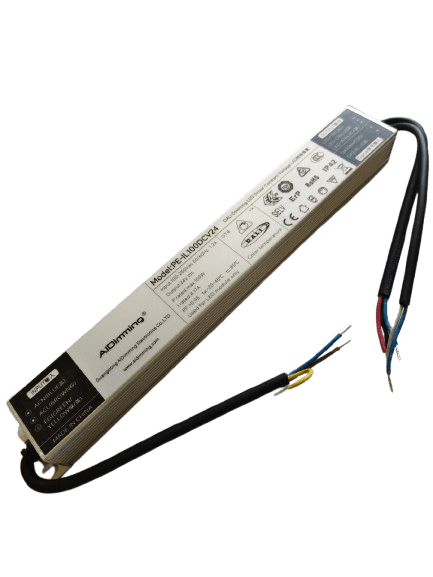
Sarlux LED drivers are built to unlock the full potential of your lighting — delivering precise dimming, smooth color control, and seamless integration with smart lighting systems.
With advanced technologies like DALI compatibility, flicker-free performance, and intelligent thermal management, our drivers sit at the core of every efficient, reliable lighting solution, making your spaces brighter, smarter, and more energy-efficient

Smart Zigbee Control with Sarlux LED Drivers
Wireless Zigbee Integration – Connects effortlessly with smart home hubs and ecosystems, no complex wiring required.
Dim-to-Warm & Tunable White – Easily achieve warm dimming and tunable white lighting effects in any project Precise Current Control – Accurate, stable current output ensures consistent and reliable light performance output
Smart Home Automation Demo Kit
Experience the Future of Smart Living
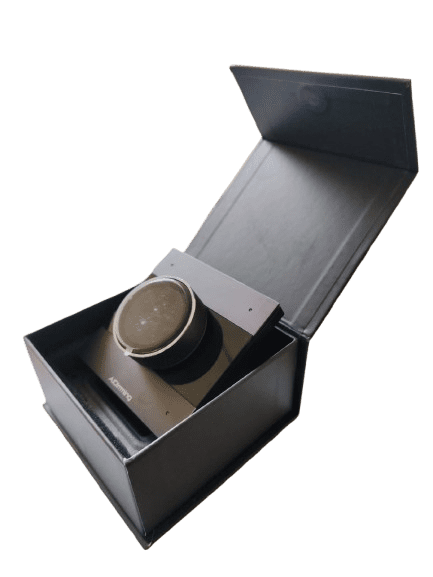
Explore our Home Automation Demo Kit, designed to demonstrate seamless control of lights, appliances, and smart devices through voice commands and intelligent automation.
◉ Voice Control with Alexa
◉ Smart Lighting & Appliance Control
◉ Seamless Automation & Remote Access
◉ Easy-to-Use Smart Home Experience
◉ Ideal for Homes, Offices <& Hospitality Projects
Bring convenience, comfort, and intelligent control together with a complete smart home automation solution.
Featured Products


- Select options This product has multiple variants. The options may be chosen on the product page

- Select options This product has multiple variants. The options may be chosen on the product page